Debug Strings in Main Menu - PC
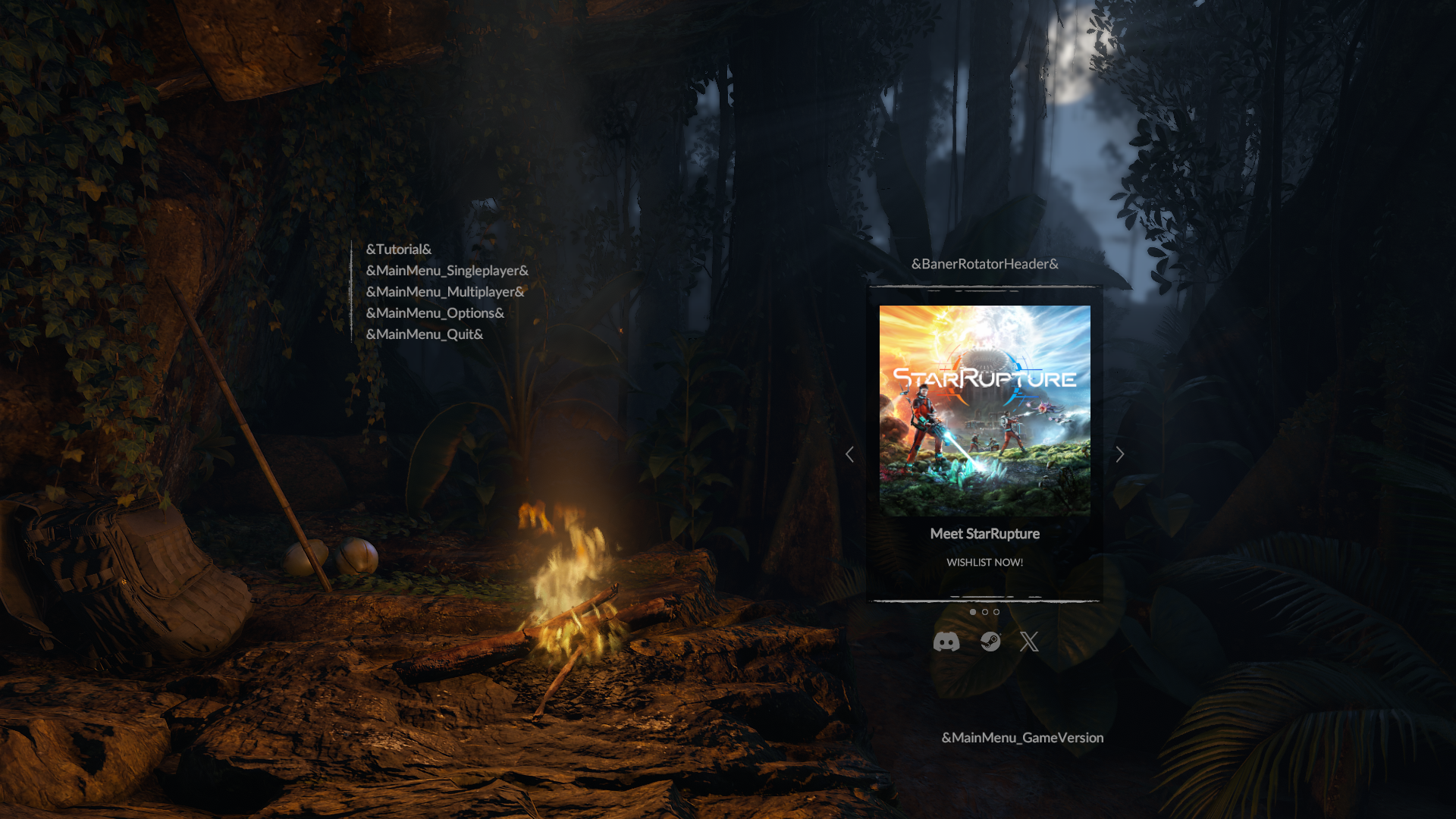
If you're experiencing issues with debug strings in Main Menu, or a black screen after accessing any of these options - we can advise ways to fix it. Please try these troubleshooting steps below:
Turn off Steam Cloud (Please select Steam > Settings > Cloud > Disable Steam Cloud and for Green Hell select Green Hell > Properties > Steam Cloud > Disable).
Enter/Find following path: C:\Program Files (x86)\Steam\userdata[your unique Steam ID]\815370\remote
(Please be aware this path may vary depending on which disk you installed your Steam. )Delete the “Settings/Settings2.sav” file. Please make sure to backup your files before deleting them (you can copy the file to the desktop).
Enter the game and make an action (e.g. change some settings in Options) - it will create a new Setting2.sav file.
Close the game.
After you complete the steps you can turn on the Steam Cloud. On the prompt that should appear select "Upload to the Steam Cloud” for the local files. If the prompt is not shown right away, you can try to verify Steam files: https://help.steampowered.com/en/faqs/view/0C48-FCBD-DA71-93EB
Please be aware that the provided troubleshooting will reset all settings changed in-game options to default.